01. project description

Two - Factor Authentication
I worked independently on the design process to implement and add an additional layer of security to customer accounts on Just during login. This was done to strengthen the authentication process.
01. project description
I worked independently on the design process to implement and add an additional layer of security to customer accounts on Just during login. This was done to strengthen the authentication process.
02. project info
Role
Product Design, Research
Timeline
April 2023 - May 2023
Product Officer
Product Designer (me)
Sketch
Figma
03. the challenge
Customers wanted to protect their account from unauthorized employees
Customers were concerned about the security level of their Just account. With increase in the number of employees at each customer’s company, they felt the need to tighten their account security to prevent unauthorized employees from accessing company accounts. Hence, the request for 2FA linked to their accounts.
04. the goal
Enhance the authentication process of company members’ account on Just, using 2FA without sacrificing UX
The goal was to implement 2FA method of secure login for all members of a company account registered on Just while ensuring that the additional feature/step in the process of logging in is frictionless for users in terms of the UX.
05. the solution
06. research
2FA is quite a popular feature found in several applications/websites, but the implementation varies across these applications. The purpose of the research I did was to provide insights into:
01
How to offer 2FA options to users: mandatory or optional
02
2FA setup process
03
UX consideration: where and when to notify users to turn on 2FA
04
Recovery methods for users in case of failed authentication codes
07. research findings
After doing some white paper research and existing solution audits, I was able to discover some best practices for implementing a 2FA method for authenticating users. These include:

More than 80% of the platforms I researched and audited offered multiple ways for 2FA: text-messaging, third-party authentication apps, and security keys.

About 65% offered users the option of backup codes to get access to 2FA incase they lose access to their phone or primary mode of communication for authentication code

Only about 40% maintained consistency in the format of how the code sent is expected to be presented at the point of input
08. design: user flows
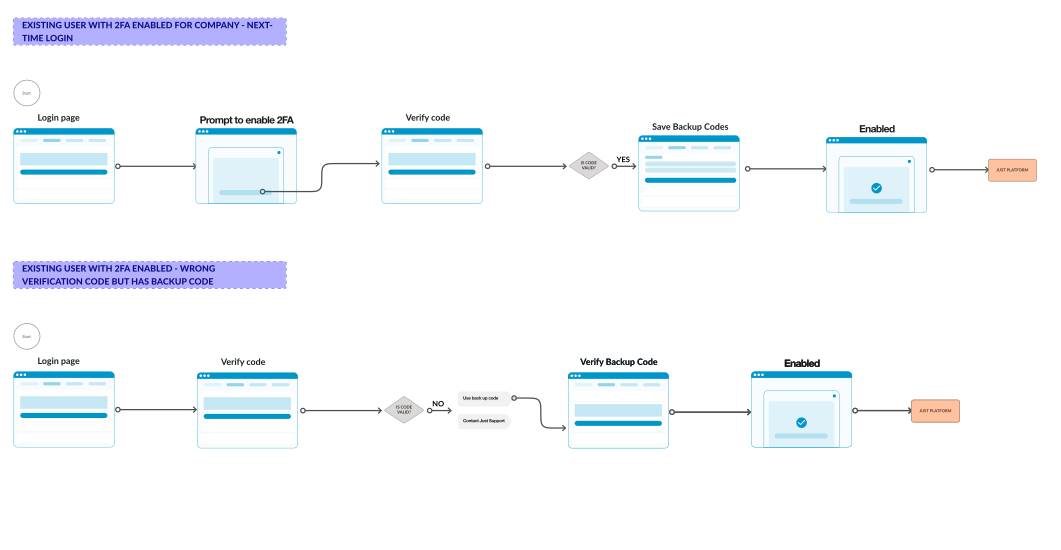
I spent the first 2weeks working with the Product Officer working on user flows. This was to flesh out the different points of user interactions involved in an admin enabling 2FA for a company and getting it enabled for other members of the company. Also considered the edge cases and error fallback for users.
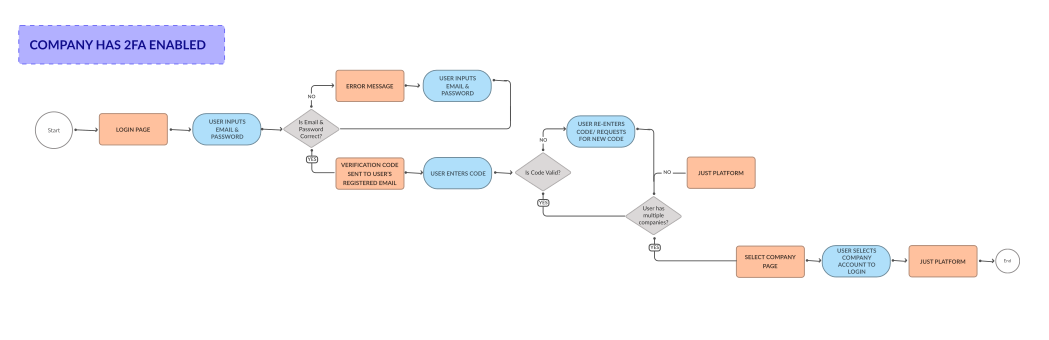


< Drag horizontally to view full flow >
design decisions
While we would have loved to provide users with a variety of method for 2FA including text-messaging, third-party authentication apps, it didn’t make complete sense to do this on our platform(Just). We prioritized email 2FA as it's widely used, faster to implement, and all users have verified email on our platform. We wanted to continue communication via an avenue our customers were already used to. Hence, the choice of Email for sharing verification code for 2FA authentication.
The design aimed to add security without compromising efficiency (friction-less UX) and prioritize user-centricity, along with easy error recognition, diagnosis, and recovery.
For the first rollout, we decided to make 2FA mandatory for all members of a company once enabled by the admin. We found out that by making it mandatory, we can efficiently address the security concerns and appropriately verify that every user logged into a company account is who they say they are. With optional 2FA, users could easily switch between accounts which could compromise information.
The setup for an Admin enabling two-factor authentication involves 3 major steps:
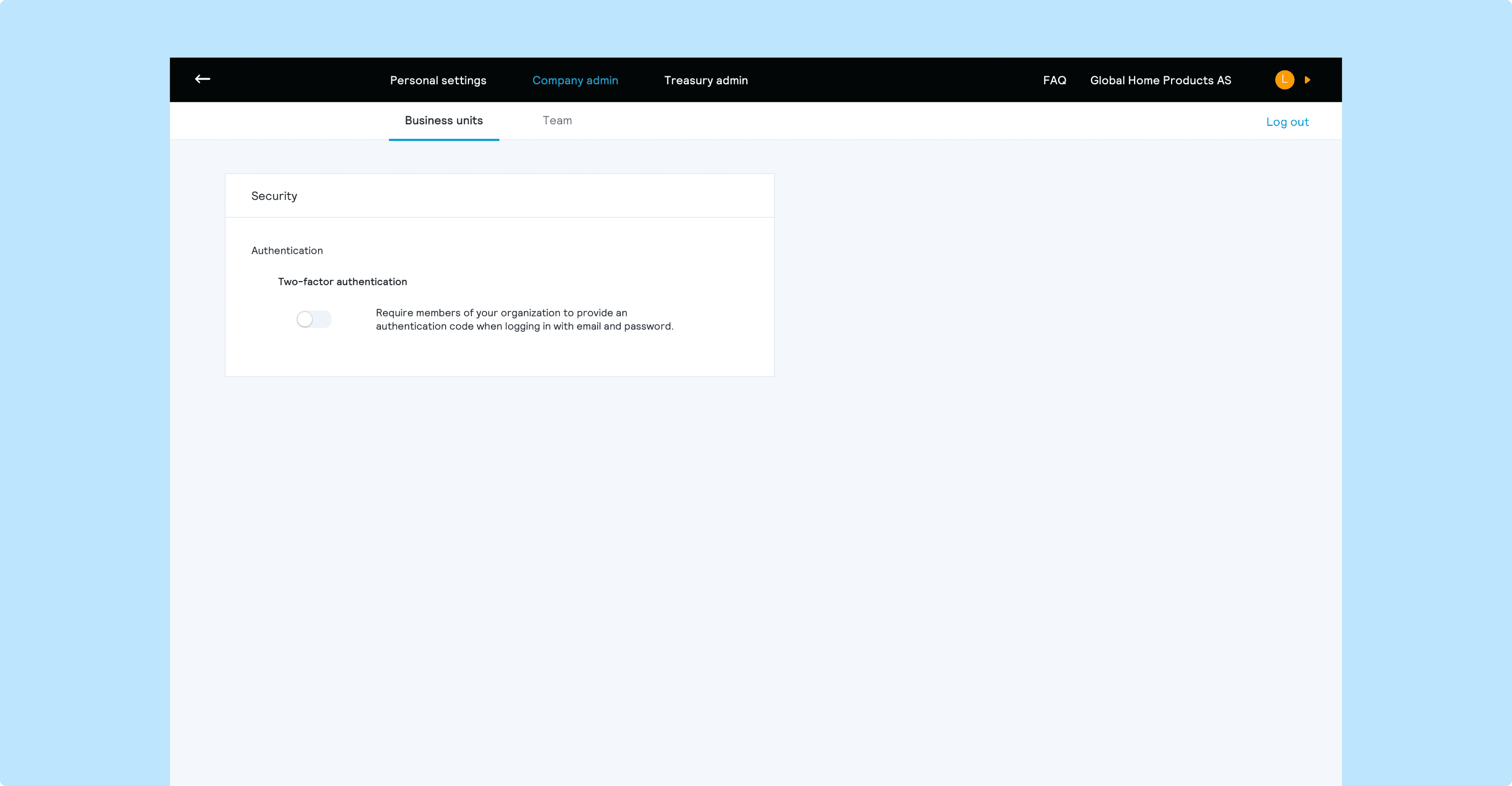
The first step for an admin to enable 2FA for a company is to have the admin identity verified. For this, the admin needs to be logged into the company account on Just and the role confirmed as Admin. After logging in, the admin can then proceed to enabling 2FA from the Security tab under settings as this is where user-specific settings are.
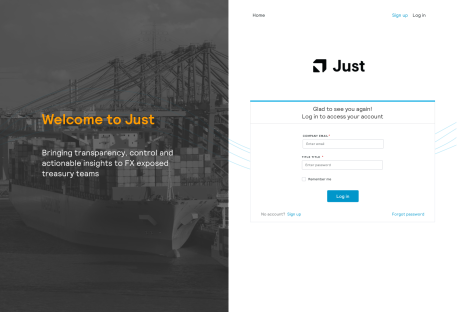
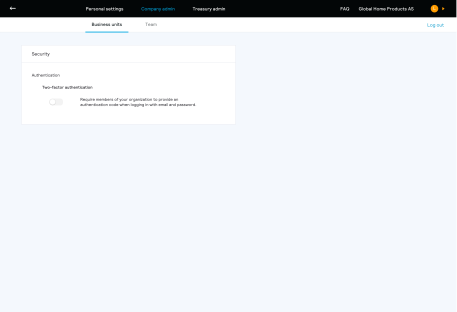
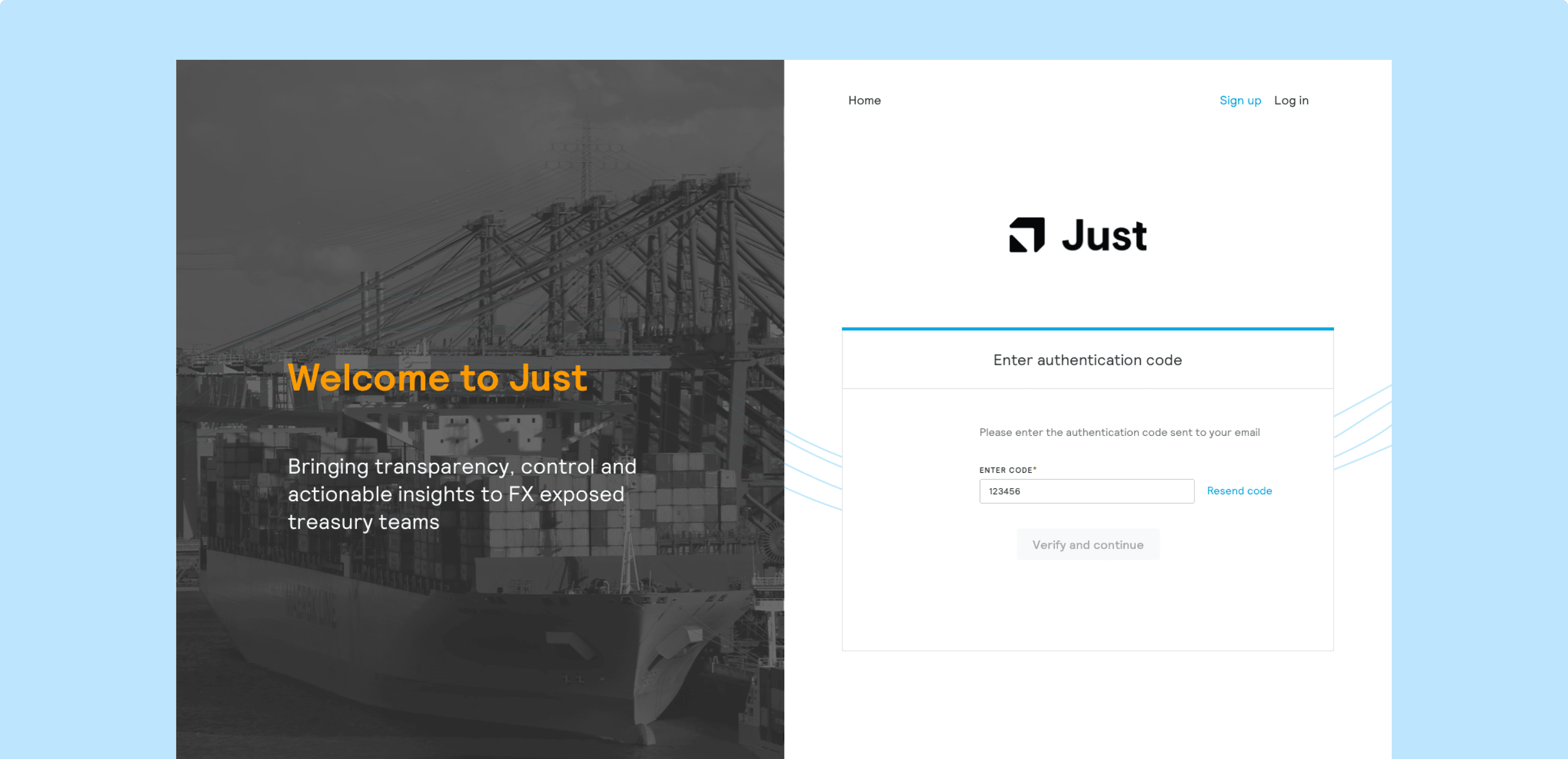
Here, the user receives an authentication code via email. The authentication is used to confirm that the admin has access to and is able to receive code via the registered email.
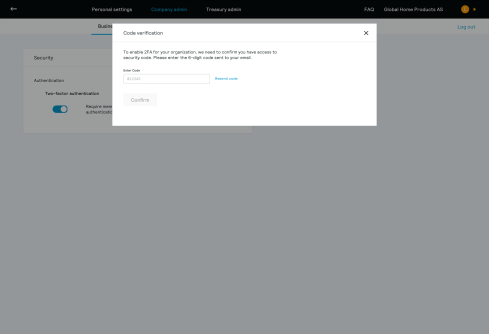
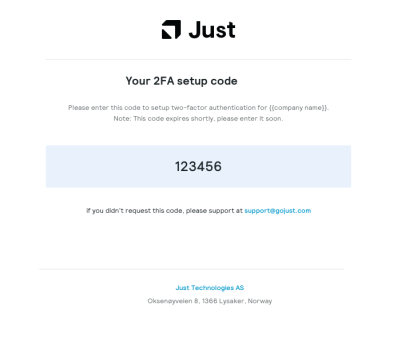
To ensure users easily recognize errors, I used simple error-messages in plain language, avoiding jargon.
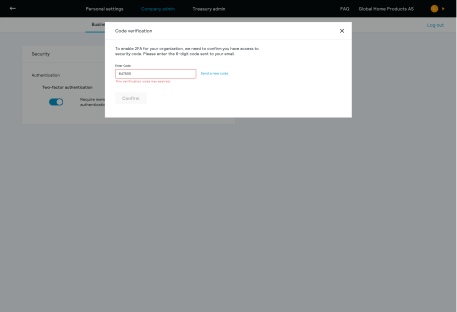
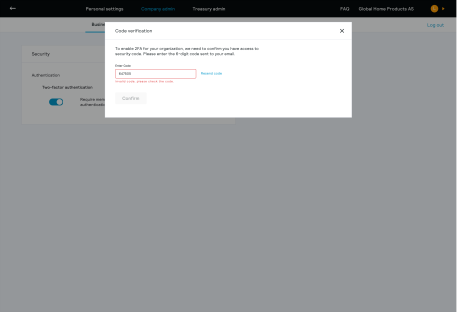
I anticipated that the verification code a user enters might fail due to a couple of reasons. So I ensured that in this case, there’s an option to generate a new code and have it sent to them
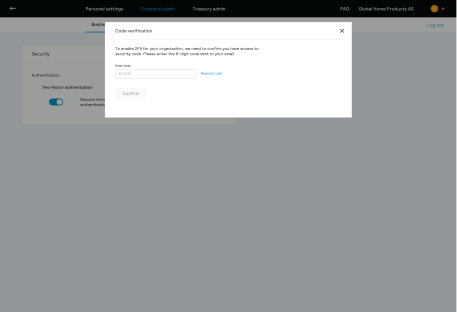
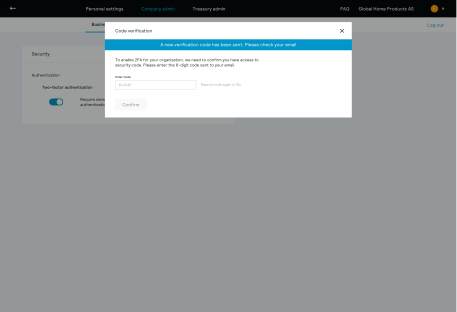
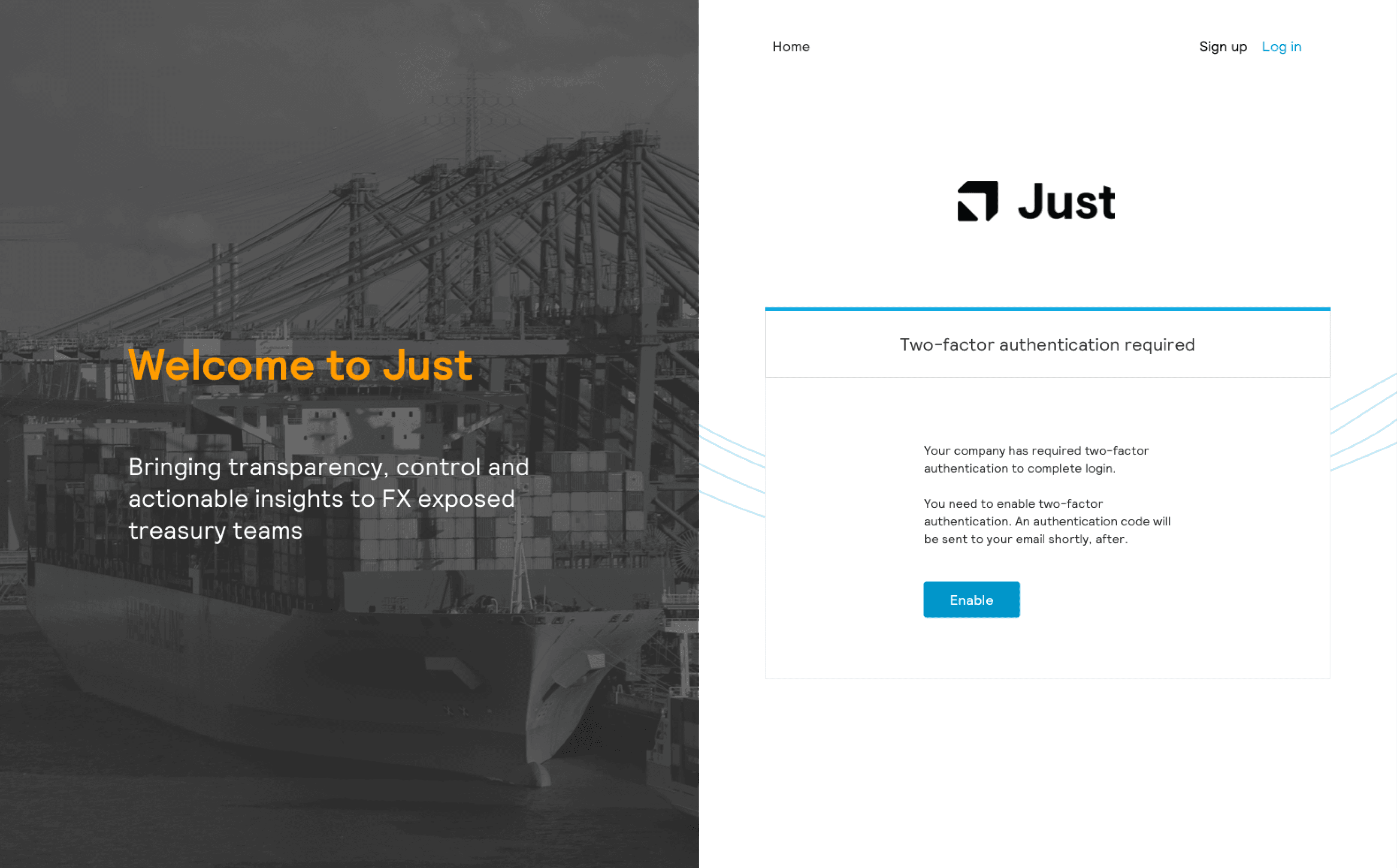
If two-factor authentication has been enabled by the admin of a company that a user belongs to, then the user will need to set up two-factor authentication the next time they login to Just.
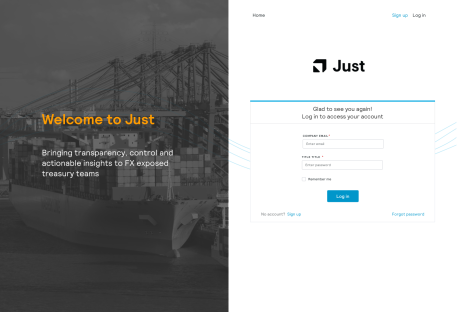
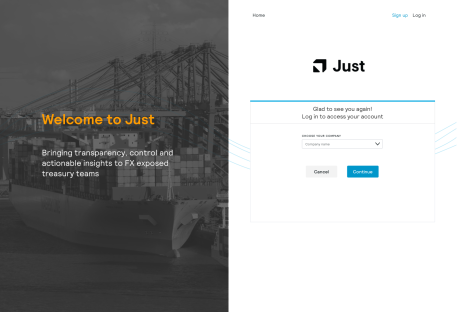
As an existing user in Just, a user be required to set up 2FA after an administrator of a company the user belongs to enables two-factor authentication. The next time the user logs in to Just, the user will be notified that admin requires two-factor authentication to complete the log in process.
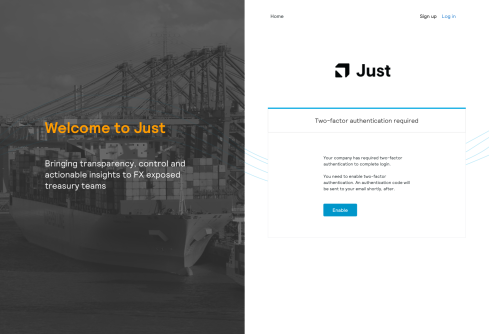
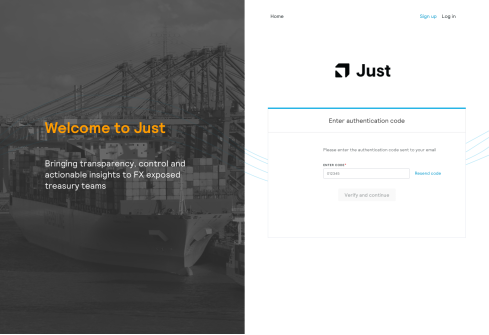
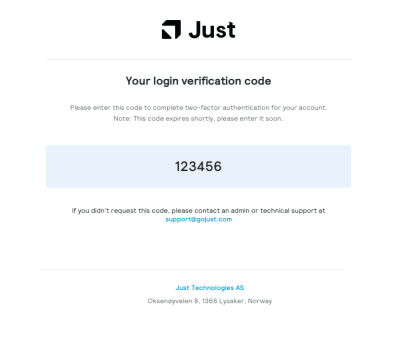
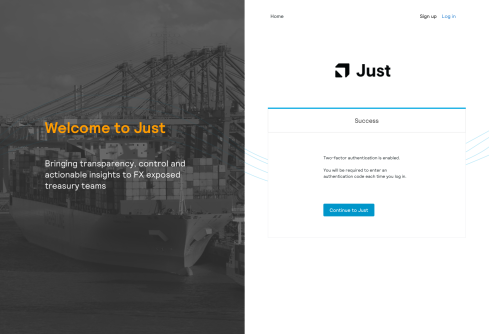
This screen confirms that two-factor authentication has been set up for the user’s account and the user can continue to Just.
10. did i win something?
The main challenge for this project was deciding if to make 2FA mandatory or optional from the start for all members. This was challenging because we wanted a friction-less experience for users and the back and forth of checking emails for code could slow down things for some users. Working closely with the Product Officer and running my thought-process with her and keeping an open mind helped make sure that my decisions were objective. This ensured I considered how to deliver the optimum impact in the short period.
One of my takeaways from this project is how this project reiterated that sticking to what already works is always safe and pays off. By deciding to go for email as the method of 2FA, we were playing it safe but at the end, users felt more comfortable with this as opposed to third-party authentication applications.
Drawing out a user flow early on before jumping in straight to hi-fi designs helped visually map out the happy paths and otherwise paths users might take to interact with this new feature. More importantly, it helped anticipate errors and clearly provide a fallback option for them. I was also able to think through edge cases and what recovery might look like for users in those scenarios.
MORE PROJECTS
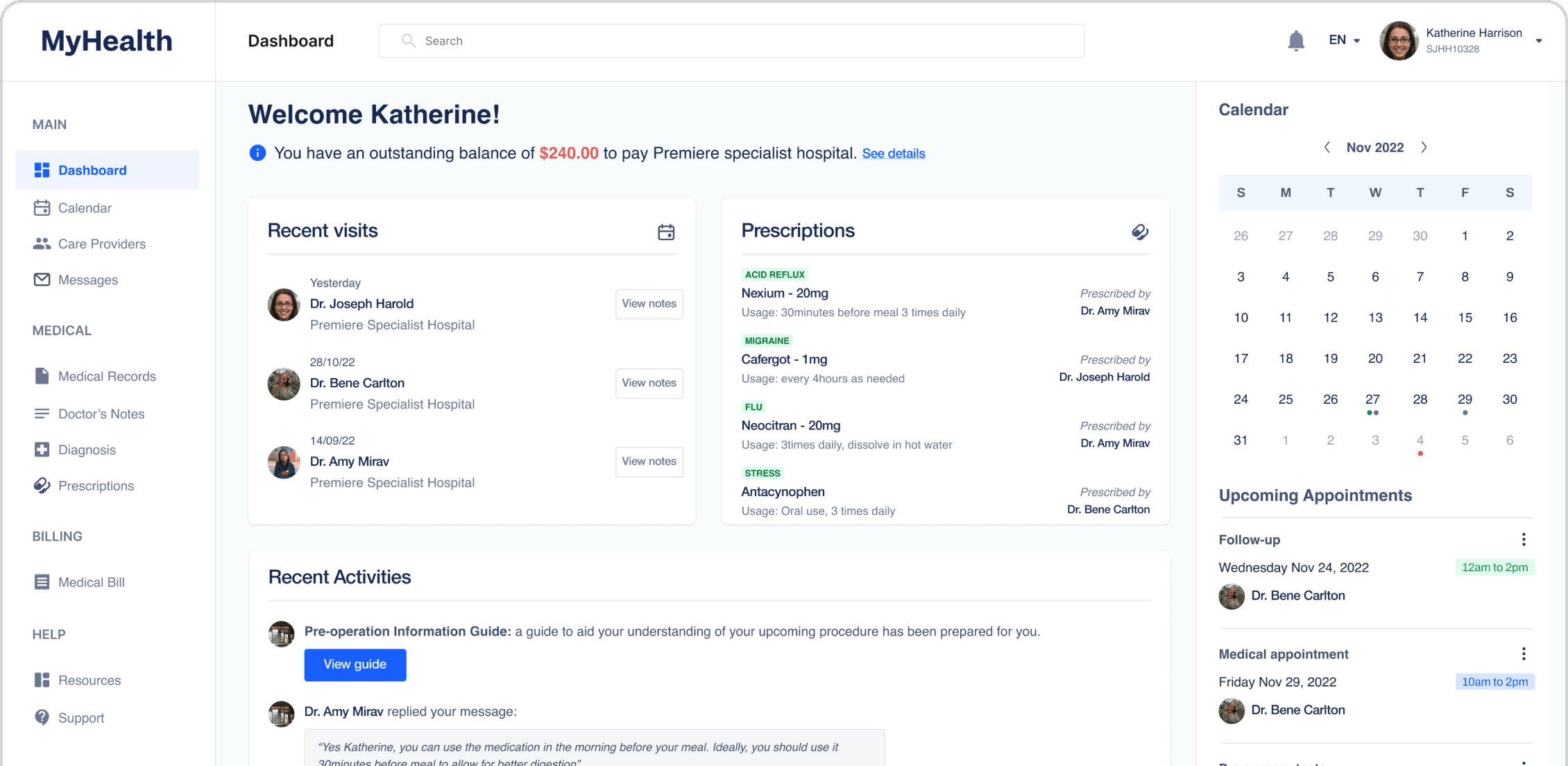
Empowered Canadian patients as experts in their healthcare journey through access to personalized information, resulting in improved communication and co-ordination between patients and providers.
Increased customer engagement by 30% with integration of AI chatbot for B2B fintech businesses.